
My online buying system: verify the sale before you buy the product
A complete buying workflow for product fit, price history, used and open-box options, sourcing channels, stacked savings, protection, and landed cost.
Decide what to buy before looking for a sale
A sale badge is an invitation to investigate. It is not evidence of value.
I try to keep discounts from choosing products for me. First I decide what problem I'm fixing and which configuration meets the need. Only then do I figure out where, when, and how to buy it. Even an enormous discount on the wrong product is a waste of money.
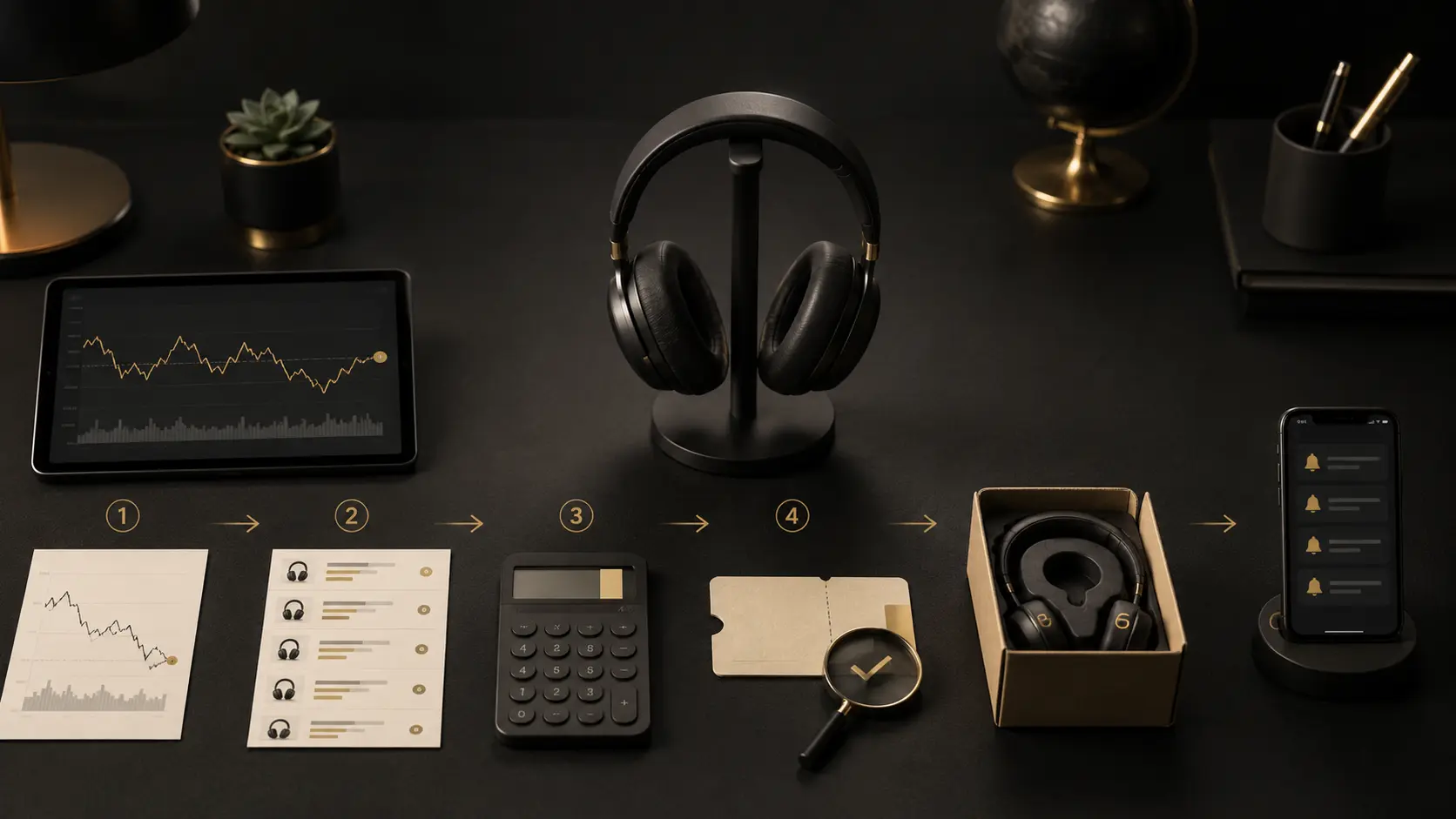
The complete order
- Define the job and the failure conditions.
- Set the minimum acceptable specification.
- Find the value knee, not the flagship.
- Price every credible condition lane: new, open-box, refurbished, used.
- Price every credible acquisition channel.
- Build the effective landed price.
- Verify price history and promotion mechanics.
- Stack only savings that do not add disproportionate risk.
- Check returns, warranty, payment protection, and resale.
- Set a stopping rule and buy.
The complete purchase brief
Before I compare products, I write a short purchase brief. This is the most important step because it prevents the market from defining the need for me.
A useful brief includes:
- job: what the product must accomplish;
- environment: where it will be used, stored, powered, mounted, transported, or connected;
- hard constraints: dimensions, compatibility, capacity, safety, deadline, returnability;
- priority order: the three variables that matter most;
- acceptable compromises: what can be worse without changing the decision;
- ownership horizon: how long I realistically expect to keep it;
- exit path: return, warranty, resale, repair, repurpose;
- research budget: how much time the decision deserves;
- all-in budget: not only the item price, but tax, shipping, accessories, installation, financing, and foreseeable maintenance.
For large purchases I add a disqualifier list. A product can win ten categories and still be the wrong answer because one dealbreaker fails. That is especially useful with cars, homes, appliances, displays, and tools.
Match the evidence source to the question
Different evidence sources answer different questions. Treating them as interchangeable is how research becomes noisy.
| Evidence source | Best use | Main weakness |
|---|---|---|
| Manufacturer manual/specification | dimensions, compatibility, warranty, included parts, supported features | marketing incentives; does not prove independent performance |
| Government/standards body | safety, regulation, testing methods, consumer rights | rarely tells you which product feels best in your use |
| Independent measured review | repeatable performance under a disclosed test method | sample variation; test conditions may not match your environment |
| Long-term owner reports | recurring failures, service friction, edge cases | selection bias, uncontrolled conditions, loud anecdotes |
| Retailer reviews | fulfillment, packaging, common complaints | fake/incentivized reviews, model mixing, low technical depth |
| Forums/Reddit | failure discovery, niche compatibility, practical workarounds | anecdotal, tribal, often weak denominator discipline |
| AI/search summaries | discovery, synthesis, comparison scaffolding | can be stale, hallucinated, or source-blind unless verified |
| Your own trial | fit, taste, workflow, comfort, room interaction | one-person sample; cannot automatically generalize |
My rule is simple: primary sources establish what a product claims and supports; independent measurements test performance; owner reports tell me what to investigate; my own experience decides fit.
Search for failure before falling in love with features
Marketing pages are optimized to show what a product can do. Ownership is often defined by what fails.
For an expensive purchase I deliberately search for:
- "[model] failure";
- "[model] problem";
- "[model] warranty";
- "[model] replacement parts";
- "[model] discontinued";
- "[model] return";
- "[model] repair";
- "[model] overheating/leak/rattle/battery/hinge" where category-specific;
- complaints about the exact revision, not a similarly named predecessor.
A few angry reviews won't stop me from buying something. A repeatable failure pattern might. I look for problems with a plausible cause, then ask whether the design, warranty, retailer, or repair path makes that risk acceptable.
A complaint becomes more decision-relevant when:
- the same failure appears across independent owners;
- it occurs under ordinary use rather than obvious misuse;
- the component is expensive or difficult to repair;
- warranty support is weak or slow;
- the failure happens after the return window but before the expected life;
- a competing product solves the same job without the same architecture.
Choose the ownership lane before chasing the lowest listing
The same product can have very different economics depending on condition and channel.
| Lane | Best case | What must be priced in | My default use |
|---|---|---|---|
| New | latest revision, full warranty, clean return path | first-owner depreciation, retail markup | safety-critical, rapidly changing, difficult-to-inspect items |
| Open-box | near-new product below retail | missing parts, cosmetic wear, warranty/return ambiguity | displays, electronics, appliances when retailer protection is strong |
| Manufacturer refurbished | repaired/tested product with support | shorter warranty, prior failure/return history | mature electronics where refurb program is credible |
| Third-party refurbished | lower price | unknown repair quality and parts | only with strong seller reputation and easy return |
| Used | someone else absorbs depreciation | wear, hidden damage, no warranty, inspection/time | durable gear with inspectable condition and deep resale markets |
| DIY / kit | high performance per dollar, customization | labor, tools, mistakes, no turnkey support | audio, furniture, home projects where skill and time justify it |
| Direct / overseas | distributor markup removed | QC, freight, duties, fraud, payment protection, service, parts | mature products where savings remain large after risk adjustment |
The cheapest lane is not always the cheapest ownership cost. That is why the Exit Price article exists as a dedicated spoke.
Purchase-channel arbitrage: where you buy can matter almost as much as what you buy
The normal retail channel bundles several things into one price: inventory, financing, showroom, returns, customer service, warranty administration, marketing, distribution, and margin. Sometimes those services are worth paying for. Sometimes I can buy the same capability elsewhere and keep most of the markup.
Mass retail and marketplaces
Amazon, Walmart, Best Buy, and similar retailers can be excellent when the return path, fulfillment speed, and competition matter more than absolute lowest cost. The danger is assuming marketplace inventory is homogeneous. Seller identity, authorization status, return responsibility, and model revision matter.
Warehouse clubs
Costco and Sam's can win on the complete purchase: delivered price, returns, included services, rewards and warranty. I compare that package with the exact model elsewhere.
Manufacturer direct
Direct purchasing can provide the cleanest model information, support, configuration, and promotions. It can also remove retailer competition and make returns slower. I use it when the manufacturer is the best source of configuration or support, not because "direct" sounds inherently cheaper.
Authorized specialty dealers
A dealer premium can be rational when the product needs setup, fit, calibration, freight handling, service, or access to exact inventory that mass retail does not provide. In audio, appliances, furniture, and professional tools, the dealer's support can be part of the product.
Local used markets
Facebook Marketplace and similar local channels are excellent for heavy, durable products whose shipping cost is high and condition is easy to inspect: speakers, gym equipment, tools, furniture, racks, shop storage, and some appliances. The opportunity comes from local illiquidity. A 300-pound machine can be worth $4,000 nationally and still sell for $1,500 locally because the seller needs it gone and the buyer must move it.
The savings are earned by accepting inspection, transport, cash/payment risk, and the absence of a normal return policy.
Local craftsmen, fabricators, and small builders
Retail furniture and specialty equipment can include large showroom and brand margins. A local woodworker, metal fabricator, upholstery shop, or regional builder can sometimes deliver better materials and exact fit for less. The comparison needs to include design competence, references, lead time, finish quality, warranty, and the risk that a one-person shop disappears.
Direct overseas sourcing
This can produce extraordinary value when the product is mature, easy to specify, and the domestic price contains large distribution or brand markup. It can also produce the most expensive "deal" when quality, freight, customs, payment protection, replacement parts, or warranty are weak.
I would not send a large payment because a WhatsApp seller sounds knowledgeable. I want:
- legal company identity;
- trade history or verifiable references;
- exact bill of materials/specification;
- photos/video of the actual product where feasible;
- Incoterm and freight responsibility clearly stated;
- packaging method;
- landed-cost estimate including brokerage/duties where applicable;
- payment method with an appropriate dispute/escrow mechanism where available;
- replacement-parts plan;
- explicit acceptance criteria;
- a savings margin large enough to compensate for the risk.
If the domestic option is $1,000 and the direct option is $850, I usually buy domestic. If the direct option is $1,500 landed for capability that costs $4,000 domestically and the product is inspectable/repairable, the risk-adjusted math becomes more interesting.
Calculate effective ownership cost, not checkout price
For a meaningful purchase, I use this structure:
Effective ownership cost = purchase price + tax + shipping + mandatory accessories + installation + financing + expected maintenance + expected repair + time/friction cost - rebates - cashback - realistic resale value.
Not every line needs a dollar estimate. The point is to surface what the listing hides.
Worked example: the cheap RO system that was not cheaper in use
My APEC ROES-50 cost $199.95 before tax. My later Cloud RO system cost $584. On acquisition price alone, the APEC wins by $384.05.
But my APEC filter housings began slow-dripping and servicing the under-sink system became a recurring nuisance. I tried new gaskets and plumbing tape; the service process could consume hours because of access, housing tension, and leak troubleshooting. The Cloud unit has been much easier to service in my use, gives app monitoring and live sensor information, and turns filter changes into a quick task.
For me, the comparison was water system + maintenance labor + leak anxiety + monitoring. The more expensive system addressed more of the job than membrane count captured.
Worked example: installed upgrades on a used car
My original new blue Model 3 Performance configuration was $54,990 plus a $500 order fee, $1,200 delivery fee, and at the time a $1,000 blue paint upgrade, before Tennessee taxes.
When evaluating the later used black car, the vehicle price was not the only inherited value. Recreating the PPF would have been roughly a $6,000-$8,000 job in my market, tint roughly $500-$1,000, a charger around $250, and a cover around $100. Installed modifications do not transfer at full retail value, and not every used buyer wants them. But when I already wanted those exact upgrades, they mattered to my replacement-cost comparison.
That is one of the best uses of the used market: buy somebody else's depreciation and selectively inherit upgrades you would have paid for anyway.
Verify that a sale is actually a sale
A crossed-out MSRP is not a baseline. I want at least one of:
- price-history data;
- recent sold listings;
- multiple current authorized sellers;
- a known recurring promotional cycle;
- a previous purchase price for the same exact SKU;
- an official clearance/model-transition explanation.
The right question is "what does this normally transact for?", not "how much below MSRP is it today?"
For volatile categories I record the date. A price that was exceptional six months ago can be ordinary after a product cycle changes.
Stack savings in the right order
I prefer discounts that do not change behavior.
- verify the base price;
- use an obvious public sale or price match;
- add manufacturer rebate or trade-in only if the underlying purchase still wins;
- use portal/cashback if it tracks reliably;
- use a card offer/rewards method that does not create interest or unnecessary annual-fee complexity;
- apply store credit/gift balance if it is already owned and does not distort comparison;
- stop.
A 2% cashback portal is not worth changing sellers if the alternative has a weaker return policy or higher defect risk. A signup bonus is not savings if it causes unnecessary spending. A financing promo is not a discount if I would otherwise keep cash in a low-return account and the loan creates fees or administrative risk.
Price the return path before buying
Returns have economic value because they preserve reversibility.
Before checkout I verify:
- return deadline;
- restocking fee;
- return shipping/freight responsibility;
- whether opened/installed items qualify;
- marketplace seller versus retailer responsibility;
- refund method and timing;
- oversized-item pickup rules;
- whether final-sale/open-box/refurb terms differ.
A $50 cheaper 98-inch television can be the more expensive purchase if a defect requires me to re-crate and freight it myself.
Know which protection layer solves which failure
A return policy solves early regret or defect. A manufacturer warranty solves covered defects during its term. A service contract adds contractual coverage with exclusions and deductibles. A card dispute resolves certain transaction disputes, not ordinary dissatisfaction. Insurance is for covered losses, not normal product failure.
I do not buy all layers "just in case." I choose the layer that addresses the loss I cannot comfortably absorb or the failure mode I believe is unusually likely.
For written warranties, the FTC's Magnuson-Moss guidance is useful because it reinforces a basic principle: read the warranty before buying, not after the product fails.
Use review forensics instead of star averages
I care less about 4.6 versus 4.4 stars than about the shape of the complaints.
Useful review questions:
- Are reviews for the exact model/revision?
- Are recent complaints different from older ones?
- Do one-star reviews describe the same failure?
- Are high ratings concentrated around delivery day rather than long-term use?
- Is the review incentivized or part of a sampling program?
- Does the reviewer disclose their use case?
- Does a complaint reveal a real product weakness or a mismatch with stated specifications?
One technically specific negative review can be more useful than 500 "works great" ratings.
Put a cap on research time
The maximum possible improvement in a decision bounds the value of research.
If two finalists cost $400 and are both likely to work, twenty additional research hours cannot create thousands of dollars of value. My own car-subwoofer-driver search is a good example: I spent at least twenty hours researching a roughly $400 driver. Even if research somehow prevented a complete $400 loss, that is a theoretical ceiling of $20 per hour before accounting for the fact that the alternative would probably still have worked.
For a major car purchase, more research was justified because depreciation, financing, insurance, daily experience, and five-year cost were much larger. But even there I eventually crossed from diligence into diminishing returns.
Before research I now write:
"The remaining uncertainty could change the outcome by approximately $___ or prevent this specific failure: ___."
When I cannot fill that sentence honestly, I am probably done.
Build a purchase evidence file
For expensive items I keep:
- receipt/invoice;
- exact model and serial number;
- product photos on arrival;
- warranty terms saved as PDF/screenshot if volatile;
- installation receipt;
- chat/email promises that materially affected the purchase;
- return deadline;
- major maintenance dates;
- accessories included;
- resale-relevant documentation.
This takes minutes when done at purchase and can save hours during warranty, insurance, resale, or dispute handling.
My theater is a case where I would take this much further: item, quantity, serial number, original/replacement price, realistic current replacement cost, photo, purchase proof, and room-wide photos. The replacement-equivalent value is large enough that documentation has real claim value.
The final pre-checkout checklist
Before I press buy on an expensive product:
- [ ] The job is defined without naming a brand.
- [ ] Hard constraints and disqualifiers are written down.
- [ ] The shortlist is 2-3 products, not 20 tabs.
- [ ] The decisive claims have primary or measured support.
- [ ] Repeated failure modes have been investigated.
- [ ] New/open-box/refurb/used/direct lanes were considered where appropriate.
- [ ] At least two relevant purchase channels were compared.
- [ ] The normal transaction price is known.
- [ ] Landed cost includes accessories and installation.
- [ ] The return path and warranty are understood.
- [ ] Payment method adds value without changing spending behavior.
- [ ] The research budget has not been exceeded without a clear reason.
- [ ] I know what would make me return, cancel, or resell it.
If those boxes are clear, another hour of browsing usually has negative ROI.
Sources
Disclosure
Some links may earn Mr ROI a commission at no added cost to you. That does not change the recommendation. This is general information, not personal financial or medical advice. Read the full disclosure.